PCB Walla
This is PCBWalla, a free "Gerber" viewer. This is the very first version.
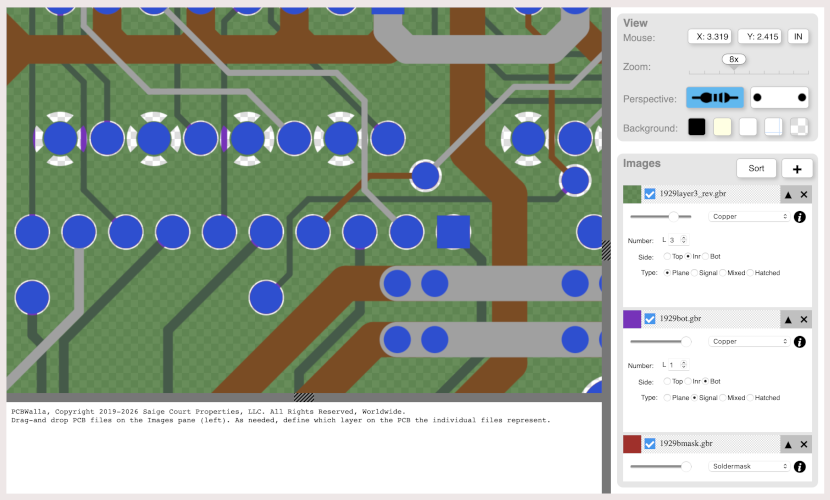
To use it, click the "+" button or drag-and-drop Gerber files into the "Images" pane. Each Gerber
file loaded will have a "card" in the list under "Images". If the background color of the card is
pink, then you must use the controls on the card to define the type of image and other required
information associated with it. If the background color of the card is white, then type of the file
is already determined and embedded into the file.
Once all file types are defined (all Gerber file card backgrounds are white). click the "Sort" button to arrange the files according to their relative Z- depths. The "Perspective" button in the "View" pane allows looking down upon the Component side or the Solder side of the board.
Zoom is controlled by the Mouse wheel or by dragging the Zoom marker on the View panel.
Left-click on the board image to pan, or use the X/Y scroll bars.
Your use of this software is at your own risk. No license rights are made or given at this time. The software is wholly owned by Saige Court Properties, LLC. I expect that there will be updates both to the software and to the licensing details coming soon.
Rights to copy, store, reverse-engineer and any other are explicitly NOT GRANTED. Your only use of this software is limited to www.pcbwalla.com, at the pleasure of Saige Court Properties, LLC and its designated officers.
If you try this viewer, we would appreciate hearing about the experience, whether positive or
negative. We hope to improve it, and your comments will help. Send comments to:
Click here to try the viewer.